Wednesday, December 4, 2013
Google Keep
This is a great app for creating color-coded notes, checklists, and reminders. I've got it installed on my Android phone, my computer and my iPad and use it mainly to leave myself To-Do lists and random ideas or thoughts that I may want to come back to when I have more time. The great thing is that it syncs across these different platforms, so that I can access them from just about anywhere. It is available in the Android Market, the Chrome Store and iTunes App Store.
Monday, November 18, 2013
WeVideo
With more and more students using smartphones, I love the continued push of new apps that make videos and other student-created media accessible from anywhere. WeVideo is a great tool for allowing students to use their devices or a computer to upload video from any number of locations (e.g. Dropbox, Box, Picasa, Flickr, Instagram, etc.) and edit it from anywhere with an Internet access. It also includes some great themes, music and effects for making videos look professional.
Friday, September 13, 2013
I discovered Nearpod at a technology conference last year and it may be one of the neatest apps for instruction that I have stumbled upon in quite a while.
Install the app on your iPad or you may install the app into your Google Chrome web browser from the Chrome Store. Create a Teacher Account. Have students/others install the app on their smart phone.
Go to nearpod's store and purchase or download free presentations. Once you open the presentation your are assigned a pin #. Distribute that pin to the class and have them enter it after opening their nearpod app. Be prepared for the excited response of having students, as they follow along with the lesson and engage in live feedback. What a great new way to present!
Monday, February 18, 2013
Air Server
Air Server is a great software that allows one to mirror his/her iPad screen. As an educator, I have found this to be a great tool for introducing apps to staff and students, as well as presenting other forms of media. You can find the app at http://www.airserverapp.com/
Tuesday, February 12, 2013
AnswerGarden
AnswerGarden is a great site for collecting online opinions, brainstorming or collecting other forms of feedback quickly. Check out the site at http://answergarden.ch/
I think you'll like it.
Wednesday, May 2, 2012
VideoDropper
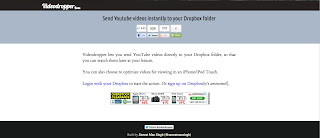
This is a great website for those who have a Dropbox account. Now you can pull YouTube videos off the Web and store your favorites in your Dropbox. Go to http://videodropper.ep.io/ and enter the YouTube video address, then begin the download process. Later, you will see the video appear in your Dropbox.
Wednesday, April 18, 2012
Biodigital Human
There are so many websites and apps available for free on the Web, but some of the most useful can get lost in the shuffle. BioDigital Human (https://www.biodigitalhuman.com/)is a fantastic interactive website that may be used to identify a 3D diagram of every system in the human body. If you have Google Chrome, it may also be downloaded as an app to your web browser. Isn't Chrome great!
Thursday, April 12, 2012
3DToad.com
This may be one of the coolest websites that I have stumbled on for quite some time. 3DToad.com has several 360 degree views ranging from disections to guitar chords. To make things even more interesting, they offer 3D toggle view. I haven't tried it yet, but it looks like all one needs is a pair of 3D glasses and the images become even more lifelike.

Thursday, March 15, 2012
Tuesday, January 24, 2012
Using Google Chrome and Chrome Apps Yet?
Nearly a year ago Google Chrome, a Web browser, jumped on the App bandwagon by creating the Chrome App Market, which allows users to download and embed Apps within the browser itself. While the main use for these Apps were intended for use with the Chrome Book, they can also be used and synced in Google Chrome on all computers installed with the browser.
In short, Chrome Apps are links to interactive websites (Web 2.0) that can be installed inside Chrome. This allows for easy navigation of specific sites on the web. Not all websites have app links, but that's because these links to many of the best interactive websites (e.g. Planetarium, Periodic Tables, Calculators, Word Games, etc.).
Take a look at these for yourself by installing the free Google Chrome web browser. Feel free to email me at markwhite@willardcityschools.org for more information.
The image below is a screenshot of a Google Chrome tab containing several installed apps.
In short, Chrome Apps are links to interactive websites (Web 2.0) that can be installed inside Chrome. This allows for easy navigation of specific sites on the web. Not all websites have app links, but that's because these links to many of the best interactive websites (e.g. Planetarium, Periodic Tables, Calculators, Word Games, etc.).
Take a look at these for yourself by installing the free Google Chrome web browser. Feel free to email me at markwhite@willardcityschools.org for more information.
The image below is a screenshot of a Google Chrome tab containing several installed apps.
Wednesday, October 19, 2011
Monday, May 9, 2011
Prezi - Presentations with Flair!
Thursday, March 10, 2011
Using QR Codes
Do you know what this is?
It's a QR code. QR stands for Quick Response and it gives you instant access to online information using your cell phone or other networked devices. So far, companies are using QR codes to advertise, but the teacher in me is coming up with other ideas of how to use QR codes in education. Here's one idea...How about hosting a scavenger hunt by generating QR codes and placing them in spots around the school building for students to scan with their smart phones, iPods or iPads and gathering information. Or how about a virtual field trip? Any of you have some other great ideas? Share them.
You can generate your own QR Codes here.
Tuesday, February 15, 2011
Take a Classroom Poll
I have shown this website to several teachers and administrators in the past, but for those of you who missed it, here is a great website for polling students or staff members.
http://www.polleverywhere.com/
Friday, February 11, 2011
Website of the Week
Discovery Education has a great new link for students and educators called Web20.11. Check it out at
discoveryeducation.com/web2011.
Tuesday, February 1, 2011
Educating With Technology
Blogger has improved their design by including the option for adding tabs. Therefore, I have updated and reformatted my blog to include tabs to this site. I am hoping it will make the blog easier to navigate and give it a more organized look.
Subscribe to:
Posts (Atom)